Time app. Your brand. Your control.

Time, work orders, and billing for contractors.

Contractor Revolution keeps the hours, the work orders, and the billing in one place. Your shop gets its own instance. It carries your logo and your colors, and we set it up around the way you already run work.

The problem

  1. Hours worked never get billed because paper timesheets and texts get lost.
  2. Payroll takes hours every week chasing crews for their time.
  3. Work orders live in texts, whiteboards, and email, so nobody knows the status.
  4. PTO requests get lost, and arguments follow.
  5. Off-the-shelf apps force your crew into someone else's process and brand.
  6. Office staff re-key field data into billing.

The solution

  1. Every hour is tracked against a work order and billed. We track every hour, and when the work is done we make sure it's billed.
  2. Payroll takes 15 minutes or less. The week is already on the summary, so nobody spends Friday chasing the crew.
  3. Time, PTO, and work orders all come from the phone. Employees track their time, PTO requests and scheduled work orders from their phone.
  4. Your instance is branded with your own logo and colors.
  5. The system is customized to your exact processes.
  6. Billing reports are ready to invoice. The office does not retype the day.

What you are buying

Time

Employees enter their hours from the phone, on a job and a work order. The office sees the same hours.

Work orders

Scheduled work orders show on the phone, with the site, the crew, and the hours logged against the order.

PTO

Employees request PTO from the phone. Balances are kept in hours. Company setup and above loads starting balances.

Billing

When the work is done, it stays on a billing list until it is billed. We track every hour, and when the work is done we make sure it's billed.

Payroll

A closed week is a weekly summary the office can take to payroll. Payroll takes 15 minutes or less.

Your name on it

Your instance is branded with your own logo and colors. The system is customized to your exact processes.

What the work looks like

The names and jobs in these screens are sample data, so you can see the layout. They are not customer records.

Team

The week’s crew, with hours logged and the work order each person is on.
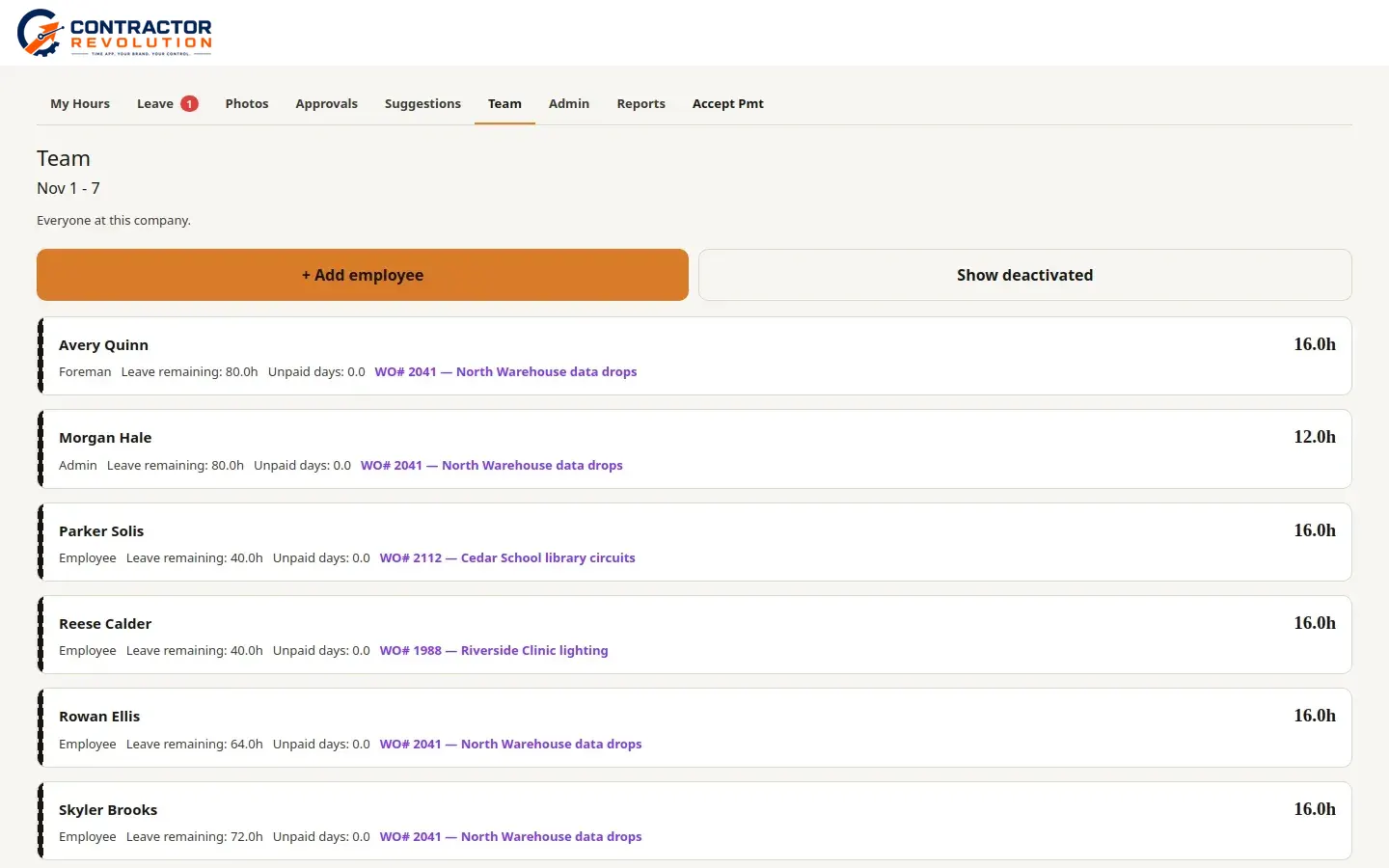
Team list for November 1 to 7. Avery Quinn, foreman, 16 hours on work order 2041, North Warehouse data drops. Morgan Hale, admin, 12 hours on the same order. Parker Solis, 16 hours on work order 2112, Cedar School library circuits. Reese Calder, 16 hours on work order 1988, Riverside Clinic lighting. Rowan Ellis and Skyler Brooks, 16 hours each, on work order 2041.
Desktop

Time entry

Scheduled work and today’s hours, logged from the phone against a work order.
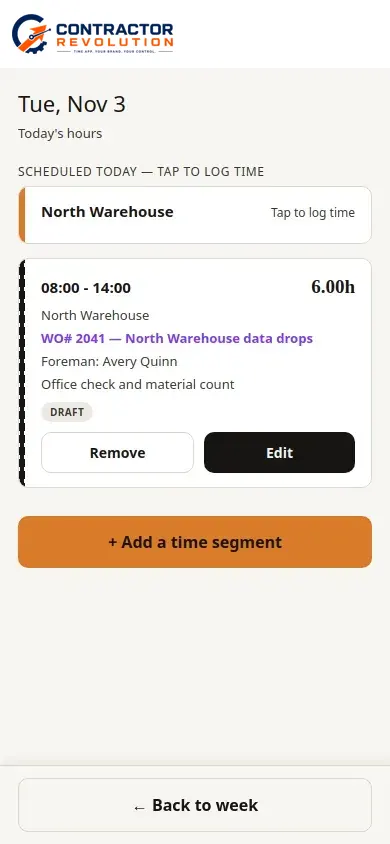
Phone time entry for Tuesday, November 3. North Warehouse is scheduled. A draft segment from 8:00 to 14:00 is 6 hours on work order 2041, North Warehouse data drops, with foreman Avery Quinn. The note says office check and material count.
Phone

Work orders

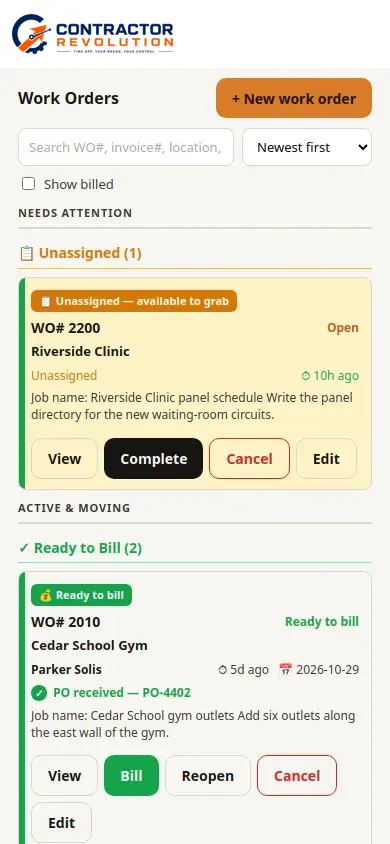
Open work orders, split into ones that need a crew and ones that are ready to bill.
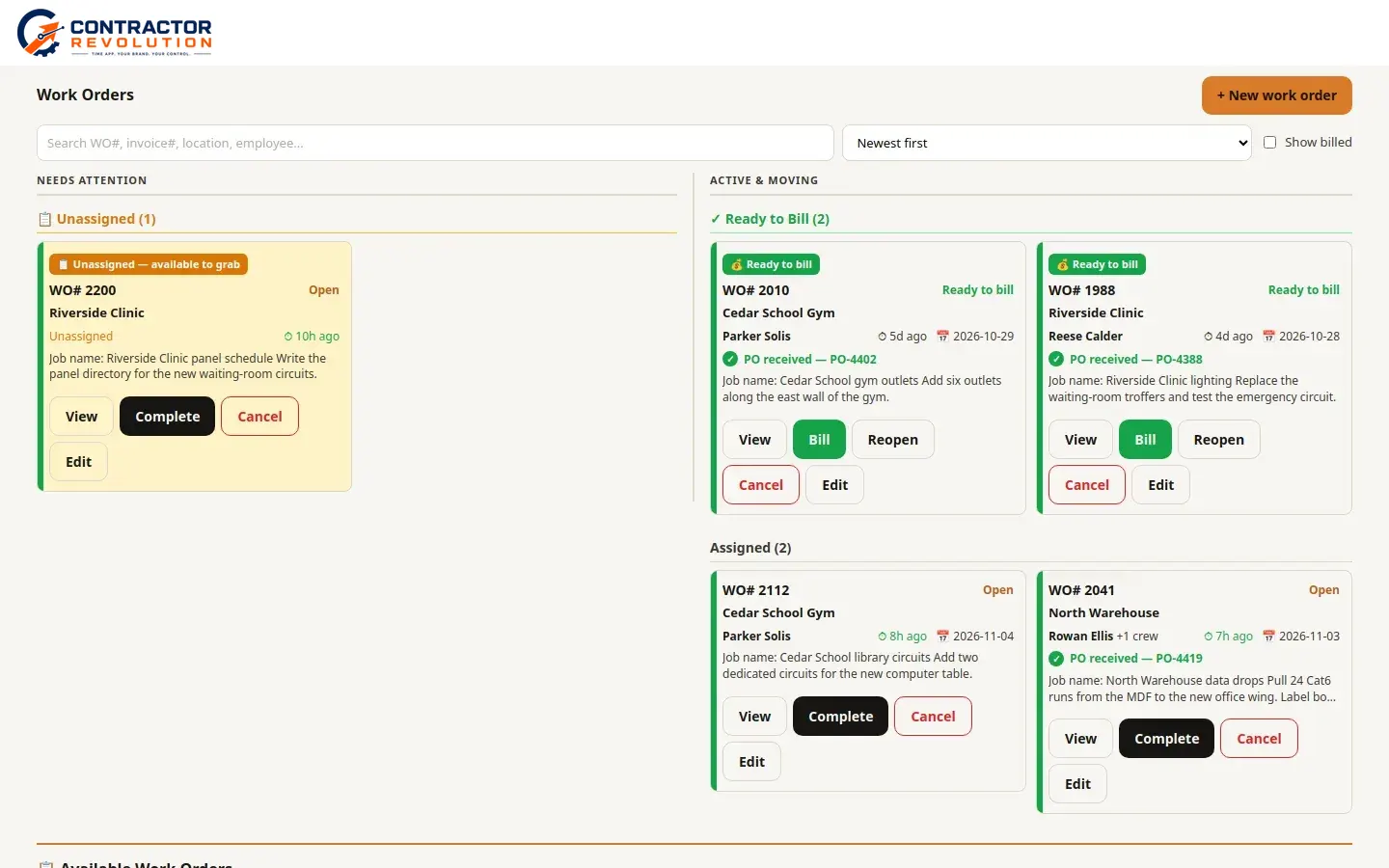
Work order list. WO 2200 at Riverside Clinic is unassigned. WO 2010, Cedar School Gym, and WO 1988, Riverside Clinic, are ready to bill. WO 2112, Cedar School library circuits, is assigned to Parker Solis. WO 2041, North Warehouse data drops, is assigned to Rowan Ellis and a crew.
Desktop
Phone work order list. WO 2200 at Riverside Clinic is unassigned. WO 2010, Cedar School Gym, is ready to bill and assigned to Parker Solis.
Phone

Work order

Location, schedule, crew, and the hours already logged on the order.
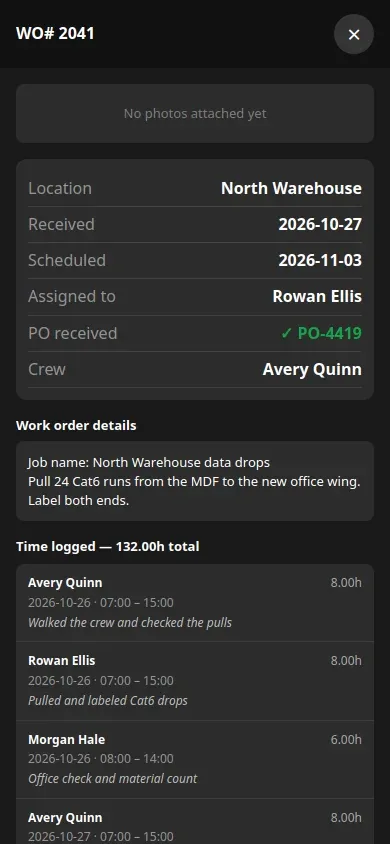
Work order 2041 at North Warehouse, received October 27 and scheduled November 3. Assigned to Rowan Ellis, with Avery Quinn on the crew. The job is to pull 24 Cat6 runs from the MDF to the new office wing and label both ends. Time logged is 132 hours, including entries from Avery Quinn, Rowan Ellis, and Morgan Hale.
Phone

PTO

Leave requests from the phone, and the hour balance the office approves.
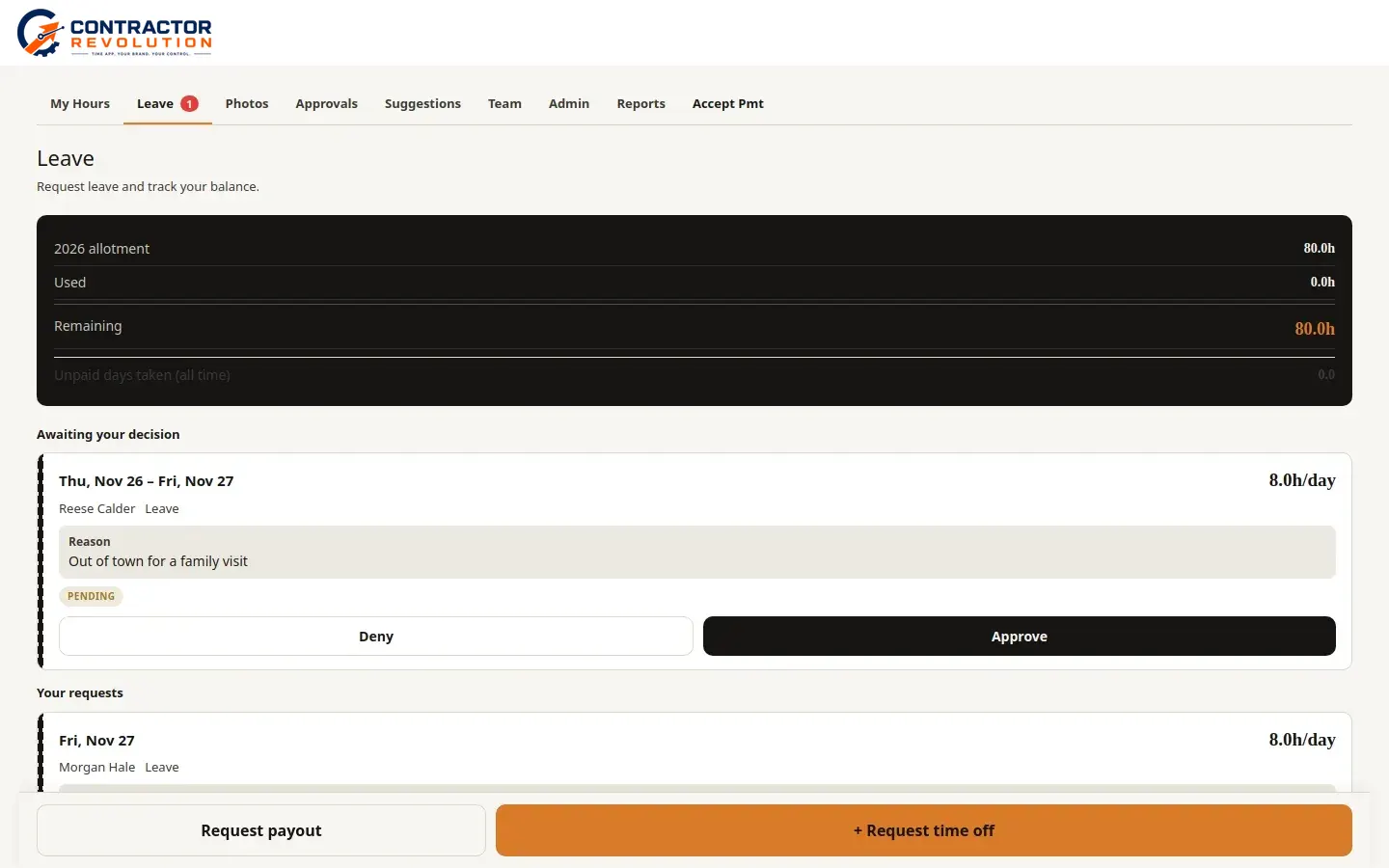
Leave screen. The 2026 allotment is 80 hours, with 0 used and 80 remaining. Reese Calder has a pending request for November 26 and 27, 8 hours a day, reason out of town for a family visit. Morgan Hale has a request for November 27.
Desktop

Billing

When the work is done, the hours stay on the billing report until they are billed.
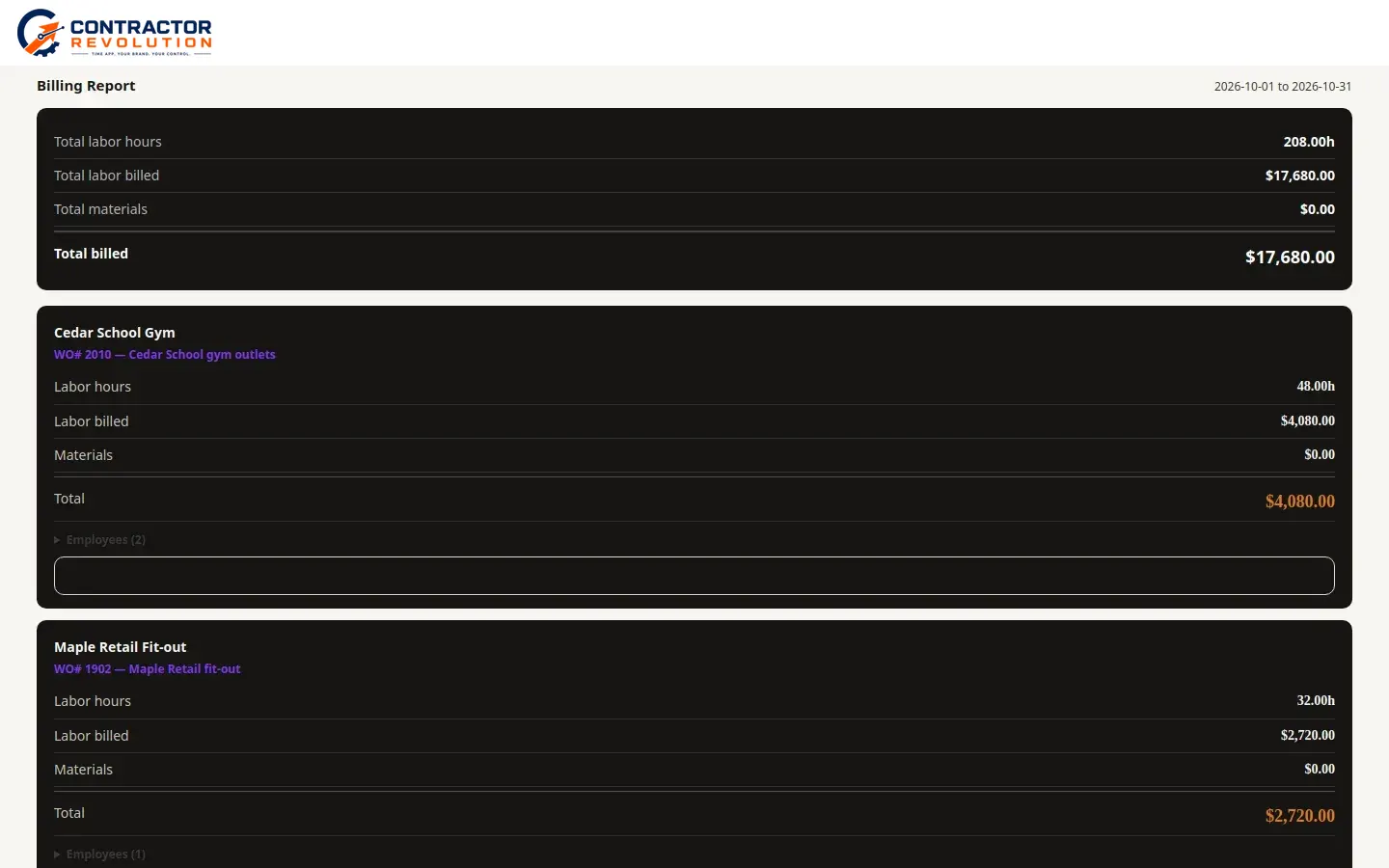
Billing report for October 1 to October 31, 2026. Total labor is 208 hours and total billed is $17,680. Cedar School Gym, work order 2010, is 48 hours and $4,080. Maple Retail fit-out, work order 1902, is 32 hours and $2,720.
Desktop

Weekly summary

The week’s hours in one place, ready to export for payroll.
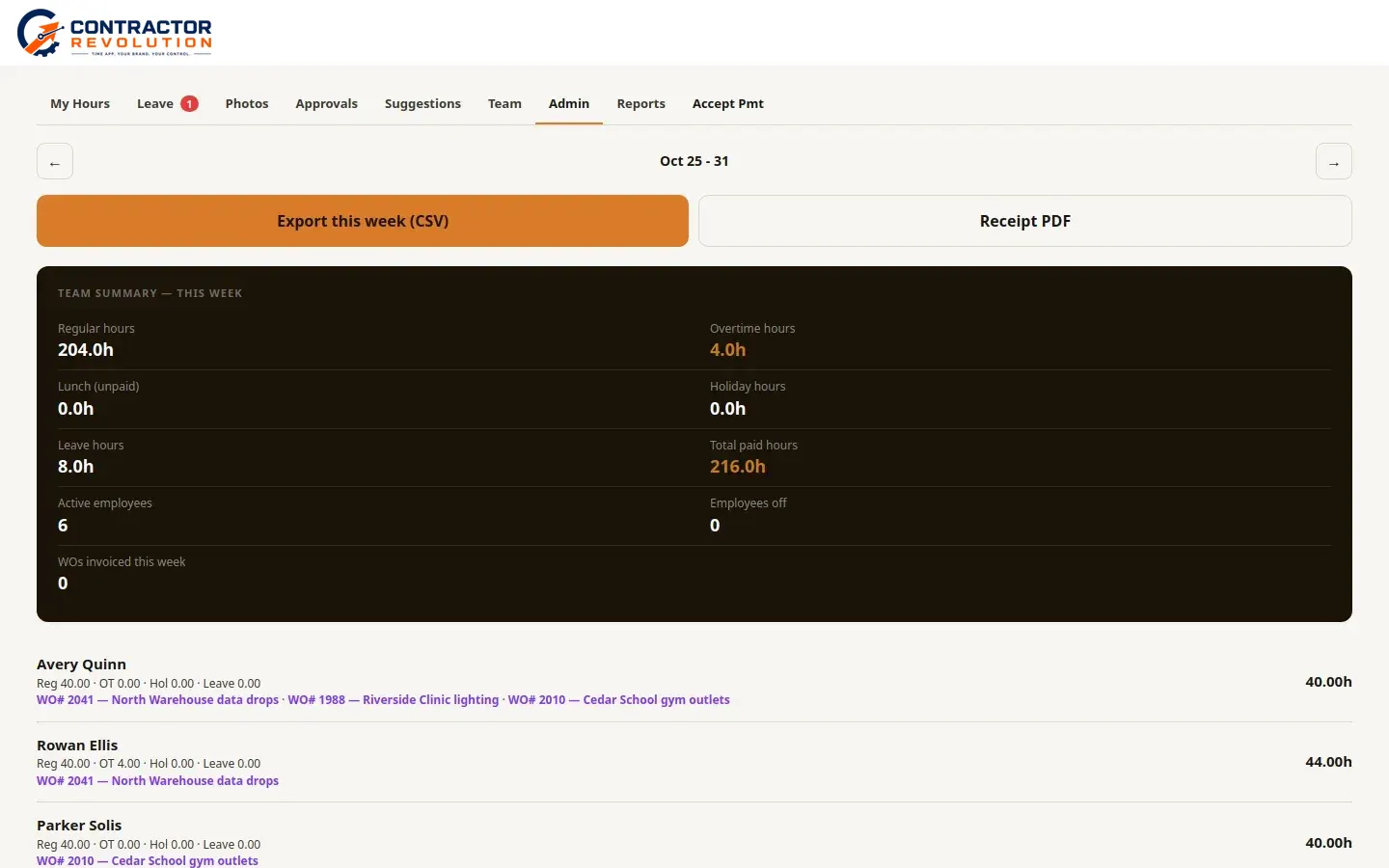
Weekly summary for October 25 to 31. The team has 204 regular hours, 4 overtime hours, 8 leave hours, and 216 total paid hours. Six employees are active. Avery Quinn has 40 hours, Rowan Ellis 44 hours, and Parker Solis 40 hours.
Desktop

Who uses it

These shops use Contractor Revolution.

  • Isom Electric

    An electrical contractor. Uses Contractor Revolution for time tracking, work orders, PTO, and billing.

  • South Pointe Construction

    Uses Contractor Revolution for time tracking, work orders, PTO, and billing.

Setup

Setup is a one-time go-live, not a software download. It covers your logo and colors, the admin login, the crew roster, PINs, jobs, and locations, then a smoke test and training. Company and above add a materials catalog import and starting PTO balances. Enterprise adds data migration. Every tier includes every feature. A user is anyone who logs in, in the field or in the office.

The price does not include payment processing, marketing tools, or a CRM. We do not sell those.

Monthly price by shop size

These are the no-commitment monthly prices at each tier's included headcount. Annual prepay takes 15% off. Setup is separate and is not discounted.

Full rate card, extra users, and annual prepay

Call Contractor Revolution

864-437-1827 · info@isomtechnologies.com

7205 US 76, Pendleton, SC 29670

Place an order